
A laptop that constantly overheats, a box that is never turned off, three copies of the same folder on different clouds: our digital habits consume much more energy than we realize. The ADEME-Arcep update of January 2025 attributes 46% of the carbon footprint of digital technology in France to data centers, almost as much as to the devices themselves. Acting on our daily usage therefore has a direct effect on this consumption.
Here are ten concrete actions, testable starting today, to reduce your digital footprint without giving up your tools.
1. Delete unnecessary automatic cloud synchronizations
By default, most smartphones synchronize photos, screenshots, and temporary files to a remote space. Each upload requests a data center, and these files remain stored indefinitely even when we never consult them.
You can start by disabling automatic photo backup on Google Photos, iCloud, or OneDrive, and then manually synchronize only the files you really want to keep. This sorting avoids gigabytes of dormant data that consume energy on the server side.
By exploring eco-friendly geek tips on Le Carolo Geek, you can find other ways to lighten your cloud footprint on a daily basis.
2. Install a lightweight operating system on an old PC
A laptop that is five or six years old struggles to run the latest versions of Windows or macOS. The most common solution is replacement, while the manufacturing of a device concentrates the majority of its environmental impact.
Installing a lightweight GNU/Linux distribution (Lubuntu, Linux Mint XFCE) gives the machine a second life for office work and web browsing. The system consumes fewer processor resources, which also reduces electrical consumption during use.
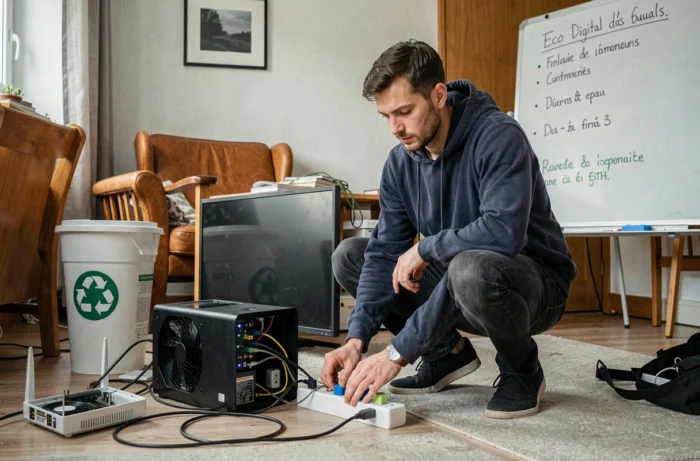
3. Turn off the Internet box at night with a power strip switch
An Internet box consumes as much as a refrigerator over a year. The associated TV box consumes even more. Leaving these devices plugged in 24/7 while we sleep for eight hours a night wastes a third of their consumption.
Plugging the box and decoder into a power strip with a switch allows you to turn everything off with one gesture before going to bed. You can turn it back on in the morning, and the reboot takes less than two minutes.
4. Stream videos online in standard resolution
Video streaming represents a massive share of global data traffic. Watching a series in 4K on a 15-centimeter smartphone screen does not change visual comfort but multiplies the volume of data transferred.
On YouTube, Netflix, or replay platforms, you can force the resolution to 720p or 480p. The difference in quality remains marginal on a medium-sized screen, and the volume of data consumed drops significantly.
5. Use bookmarks and direct URLs instead of search engines
Typing “Gmail” or “Facebook” into Google to access a site you visit every day unnecessarily burdens the search engine’s servers. Each query triggers a calculation on the data center side.
Saving your frequent sites as bookmarks or typing the address directly into the browser’s address bar eliminates this step. Over a year, for someone who makes about ten unnecessary searches a day, the cumulative effect is not negligible.
6. Check the durability index before buying a new device
Since January 2025, the durability index is gradually replacing the old reparability index for certain categories of products, including smartphones and laptops. This index includes robustness and reliability in addition to reparability.
Before buying, you can check this rating to compare two models. A device rated well in durability is more likely to last five years without failure, which delays the replacement cycle and reduces the footprint associated with manufacturing a new device.
7. Regularly clean your email inbox and attachments
Thousands of unread newsletters and old attachments occupy space on servers that run continuously. The action does not have the impact of changing devices, but it helps reduce remote storage.
Some concrete actions to plan once a month:
- Unsubscribe from newsletters that you haven’t opened in three months
- Delete emails with large attachments that have already been retrieved locally
- Empty the trash and spam folder, which remain stored on the server until purged
8. Prefer Wi-Fi over 4G or 5G for large transfers
A Wi-Fi connection consumes significantly less network energy than a mobile connection. When downloading a system update or streaming, switching to Wi-Fi reduces the load on cell towers.
On smartphones, you can also disable 4G/5G when connected to Wi-Fi at home. This saves battery life, which in turn spaces out charging cycles and prolongs battery lifespan.
9. Disable autoplay for videos on social media
Facebook, Instagram, LinkedIn: all these platforms start videos without being asked. You scroll, and every video glimpsed for two seconds has already generated a data transfer.
In the settings of each app, you can find an option to disable autoplay or limit it to Wi-Fi only. This adjustment takes thirty seconds and avoids dozens of unwanted video plays each day.
10. Buy refurbished equipment instead of new
A refurbished smartphone avoids almost all the impact related to mineral extraction and factory assembly. The refurbished market now benefits from a strengthened framework in France, with a legal compliance guarantee covering failures that occur in the first months after purchase.
Some criteria for choosing a quality refurbished device:
- Check the aesthetic grade (A, B, C) and remaining battery capacity
- Prefer a seller that clearly displays the warranty duration
- Ensure that the model still receives security updates from its manufacturer
None of these ten tips require advanced technical skills. The goal is not to deprive oneself of digital tools, but to adjust a few settings and habits so that each byte transferred or stored corresponds to a real usage. The ADEME-Arcep report confirms it: the share of data centers in the carbon footprint of digital technology is increasing, and it is on our choices of storage, streaming, and equipment renewal that the greatest margin for maneuver remains.